
NFC cards and delivery · For everyone
One card. Your profile.
A few simple steps.
Set up a writable NFC card with NFC Tools on Android or iPhone and your published NFCSG profile link. Follow the same URL-writing process on either platform; the screenshots below show the Android example.
Before you begin
- An NFC-capable Android phone or supported iPhone, plus a compatible, writable NFC card that you own.
- Android: enable NFC in your phone’s settings. iPhone: open NFC Tools and start the write operation inside the app, following its scan prompt.
- Your correct, published NFCSG profile link. Open My card → Share, or choose the right person in Cards & QR, then copy the link.
Already have a programmed card? Try tapping it first. If it opens your correct profile, you do not need to write it again.
- 01
Find NFC Tools
Install NFC Tools by wakdev from Google Play on Android or the App Store on iPhone. Check that your phone meets the app’s current requirements. The first screenshot shows its orange app icon in Google Play.
Open original screenshot ↗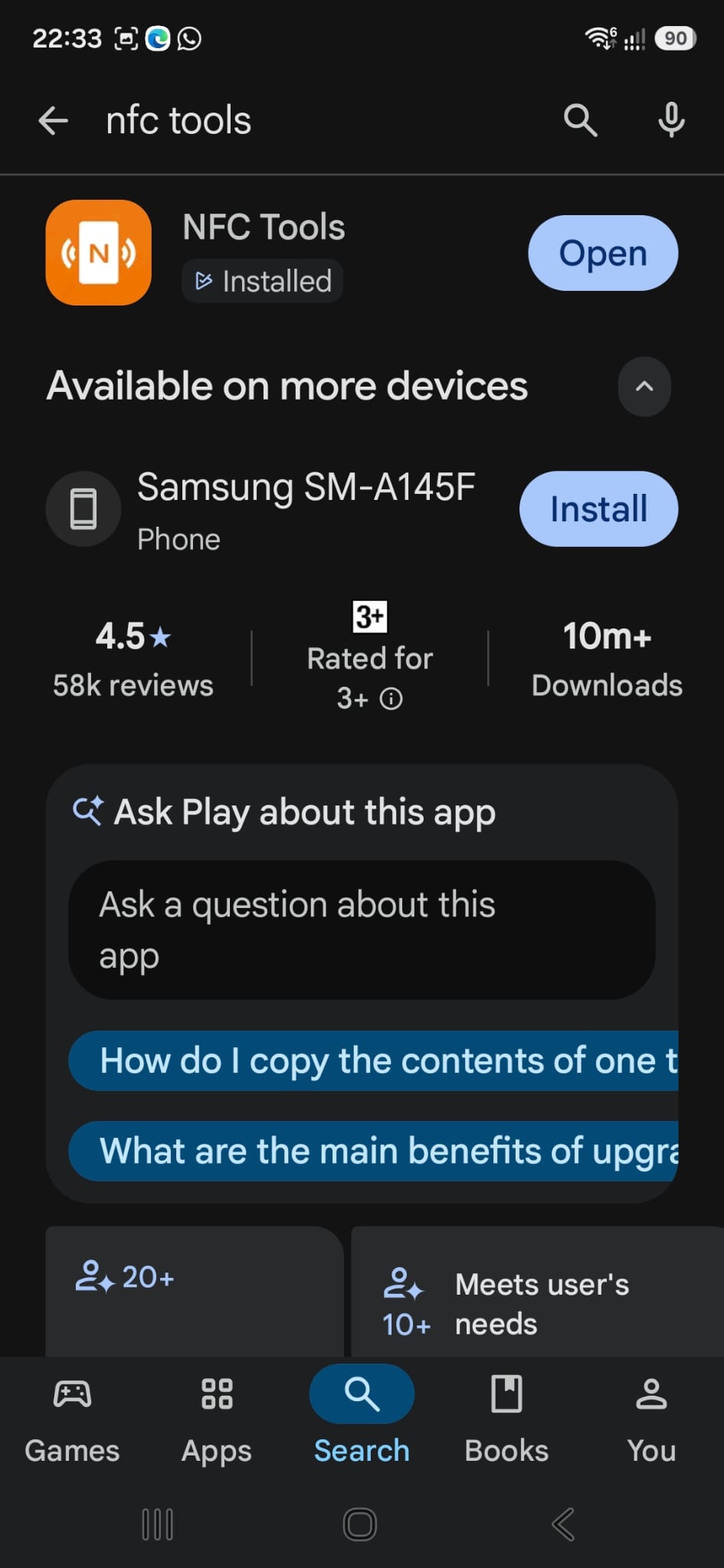
Step 1 · Original Android screenshot - 02
Open the app
Tap NFC Tools on your phone. This is a separate app from the NFCSG website or installed web app.
Open original screenshot ↗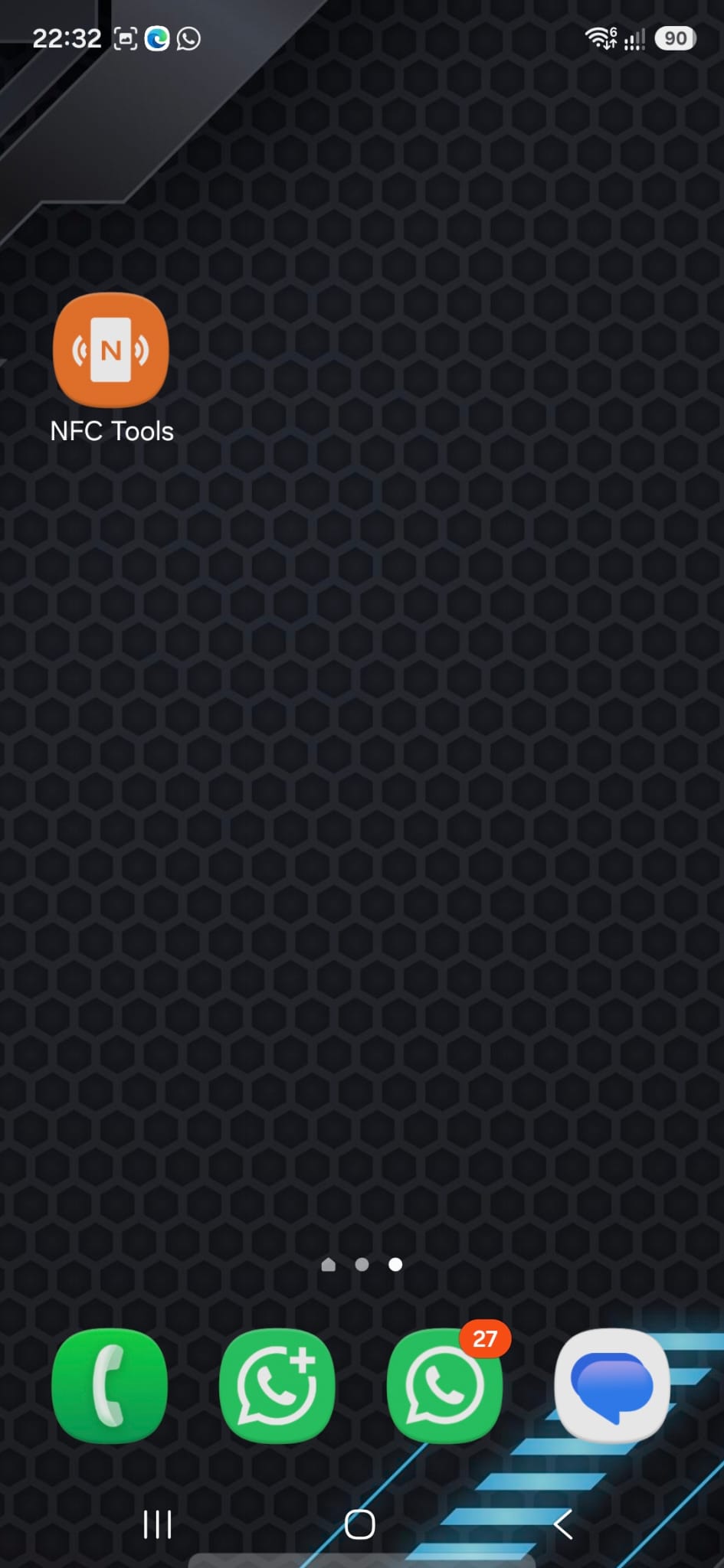
Step 2 · Original Android screenshot - 03
Add your record
Select Write, then Add a record. Start with one website link for the profile you want this card to open.
Open original screenshot ↗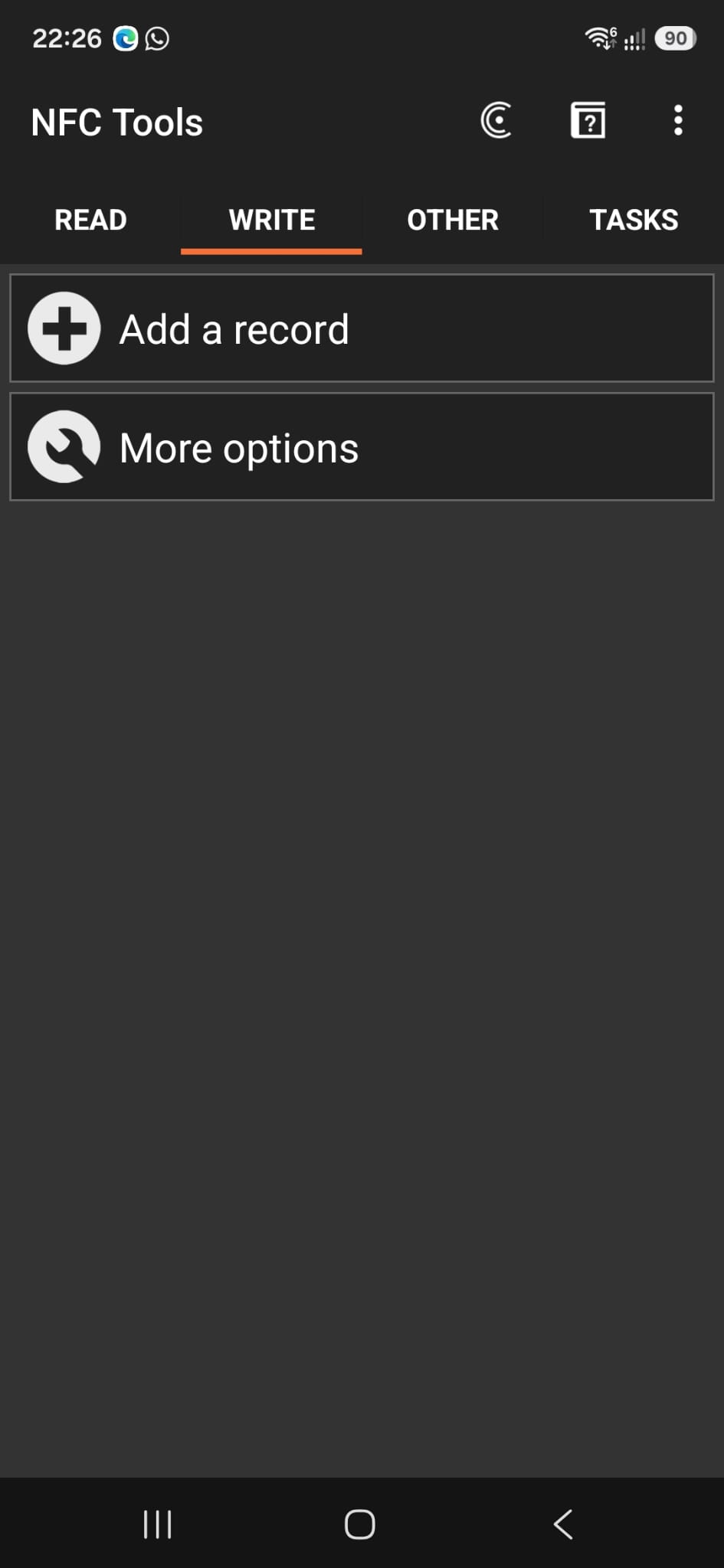
Step 3 · Original Android screenshot 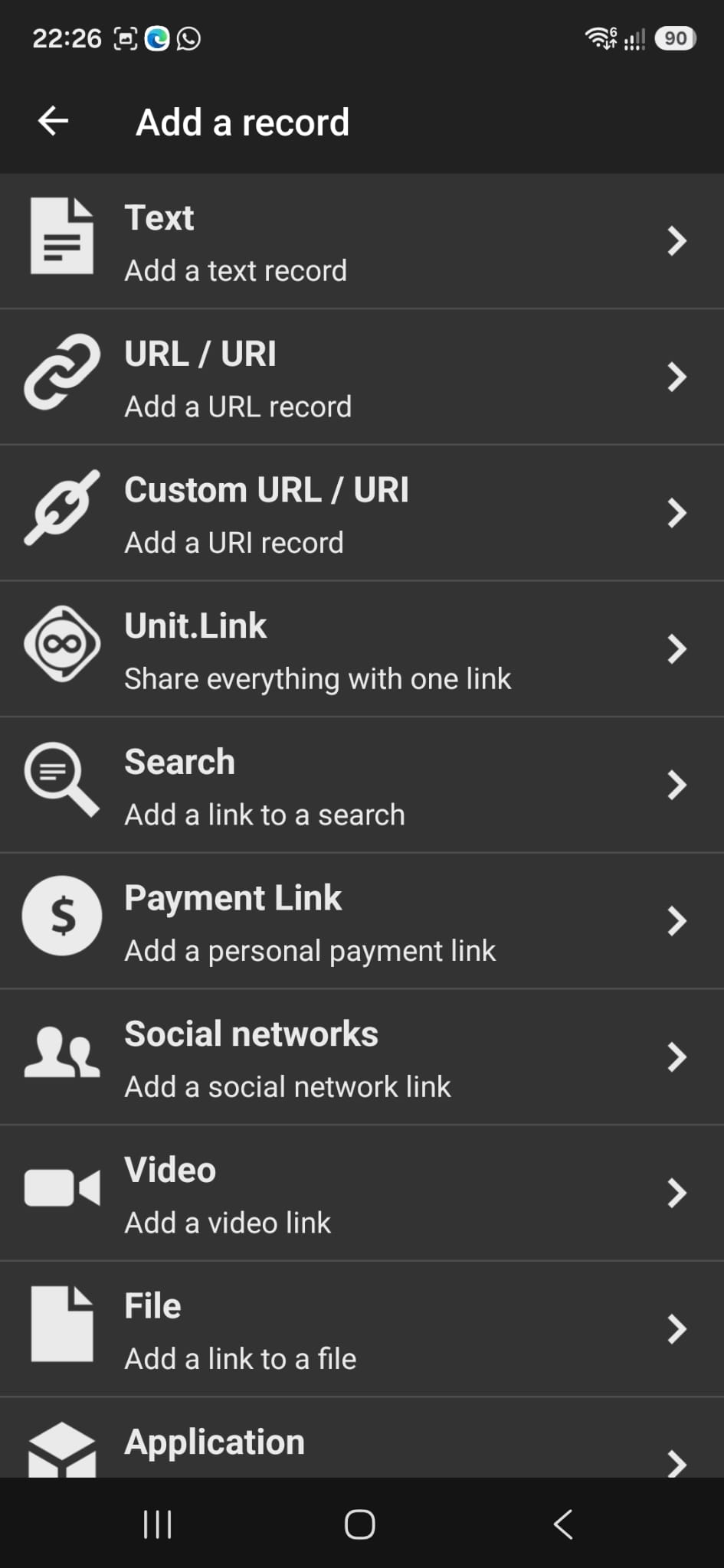
Step 4 · Original Android screenshot - 05
Paste your profile link
Use your own published profile link from NFCSG. If the app has already selected https://, enter the rest of the address without repeating that prefix. Tap OK.
Open original screenshot ↗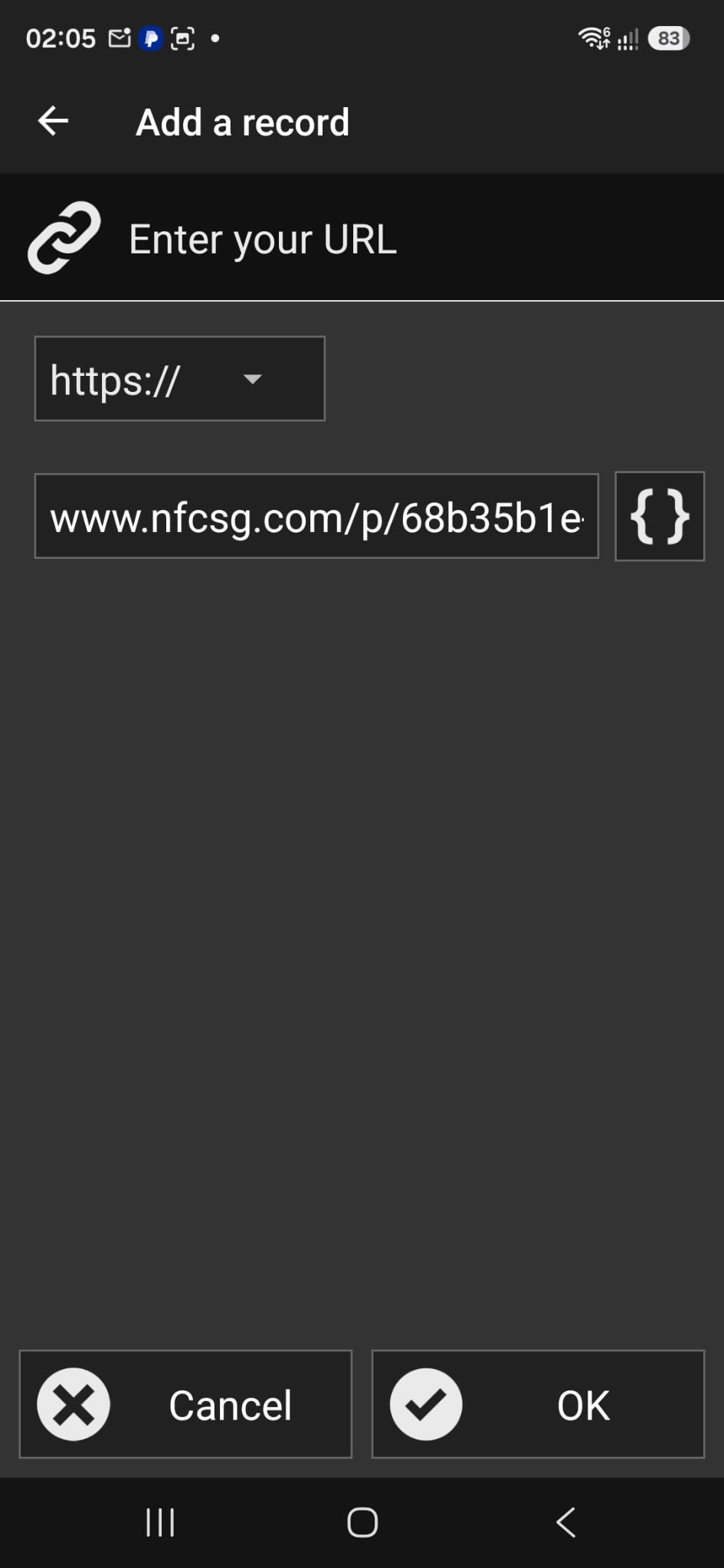
Step 5 · Original Android screenshot - 06
Review before writing
Check the complete address carefully, especially when preparing cards for several people. Select Write. The byte count depends on your link and does not need to match the screenshot.
Open original screenshot ↗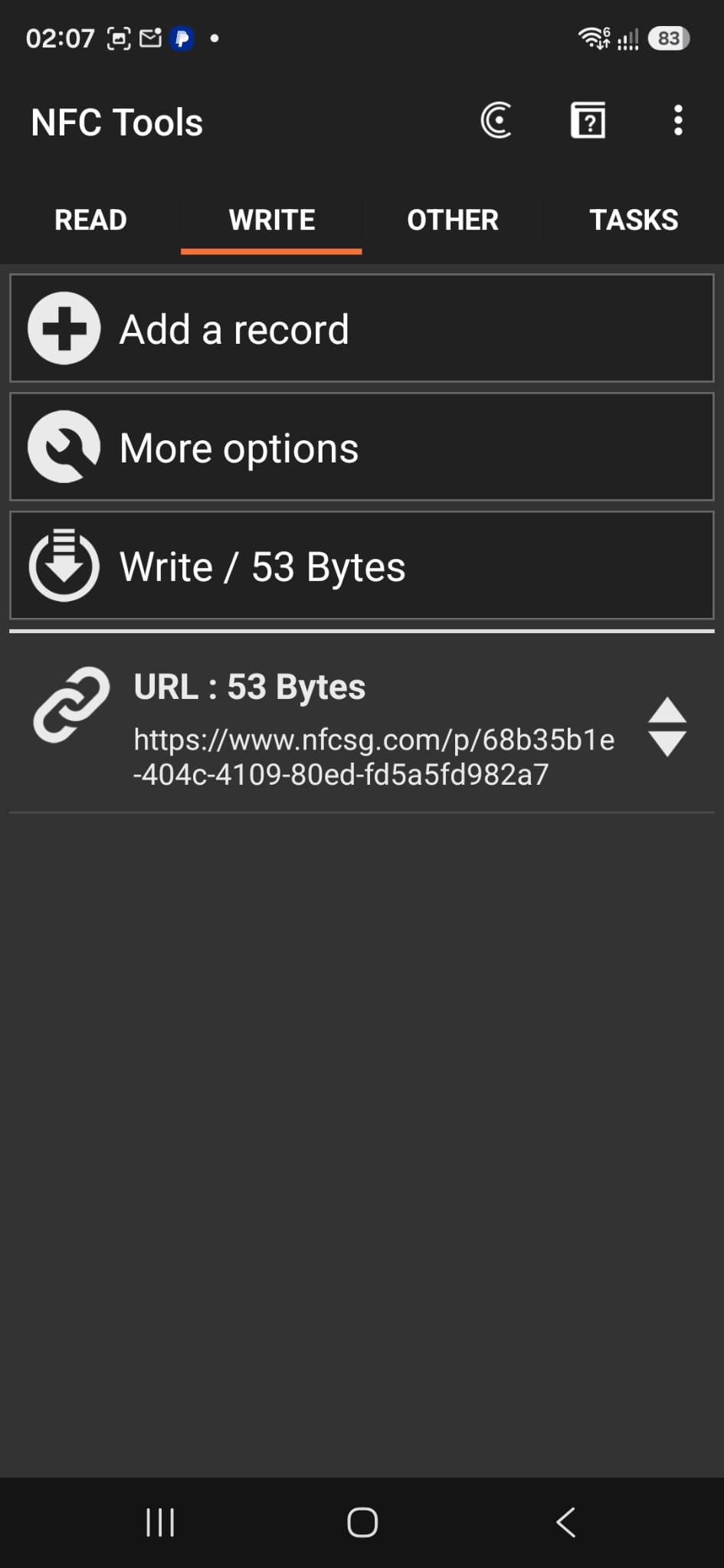
Step 6 · Original Android screenshot - 07
Hold the card to your phone
Place your NFC card against the phone’s NFC reading area and keep it still until writing finishes. The reading area varies by phone model.
Open original screenshot ↗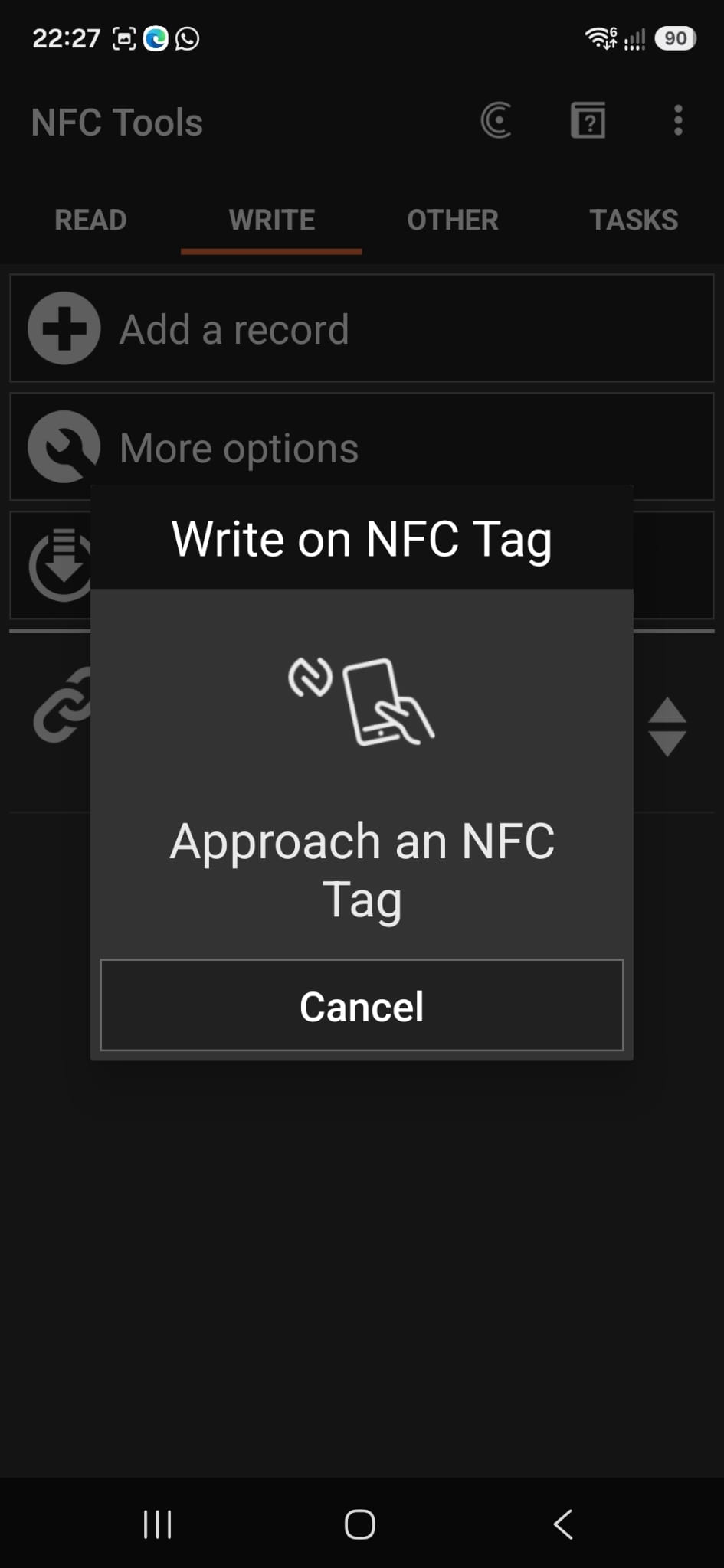
Step 7 · Original Android screenshot - 08
Confirm and try a tap
Look for Write complete. Close the writing screen, then tap the card with a compatible phone. Open the link and confirm it shows the intended person and company.
Open original screenshot ↗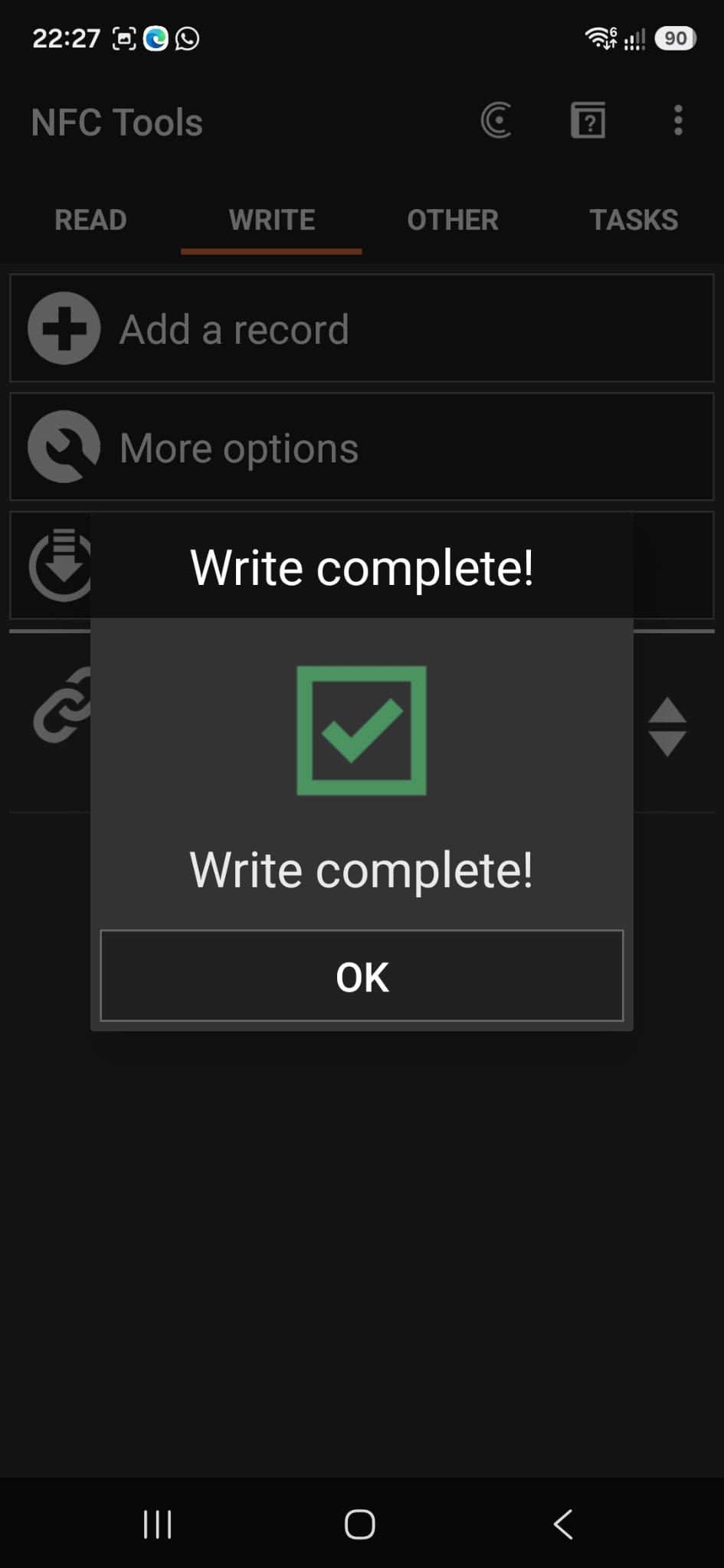
Step 8 · Original Android screenshot
Keep the link. Update your profile.
When you edit and publish the same profile, your NFC card continues to open that profile. You only need to rewrite the card when its destination changes. A duplicated profile has its own link—always check the person before programming another card.
The card stores a website link. It does not copy your workspace, password or address book onto the chip. Visitors need an internet connection to load your online profile.
If the card does not work
- The app cannot find the card
- On Android, check NFC is enabled. On iPhone, make sure the app’s scan prompt is active. Try another position against the phone, remove a thick or metal case and keep the card away from other NFC cards.
- The write fails
- The chip may be incompatible, full, locked or not writable. Do not lock or make the card read-only while setting it up. If NFCSG supplied the card, contact support before changing its protection.
- The wrong profile opens
- Return to Cards & QR, select the intended profile and copy its unique link. Replace the URL record and write it again.
- The phone cannot use NFC
- Share the profile’s QR code or link instead. This guide uses NFC Tools for writing; installing the NFCSG web app does not enable NFC hardware on an unsupported phone.
Screens and button names can vary between Android and iPhone and by app version. NFC Tools is a third-party app by wakdev. Check device compatibility on its Android page or iPhone page, and follow wakdev’s URL-writing guide for official app instructions.
Reviewed 23 November 2026 · Images supplied by Kian Hong Press